Questions 353 (0) 86 2464633

Advanced Microsoft Teams
About this course
This course is designed for organisations who are putting Teams at the centre of their Microsoft 365 experience.
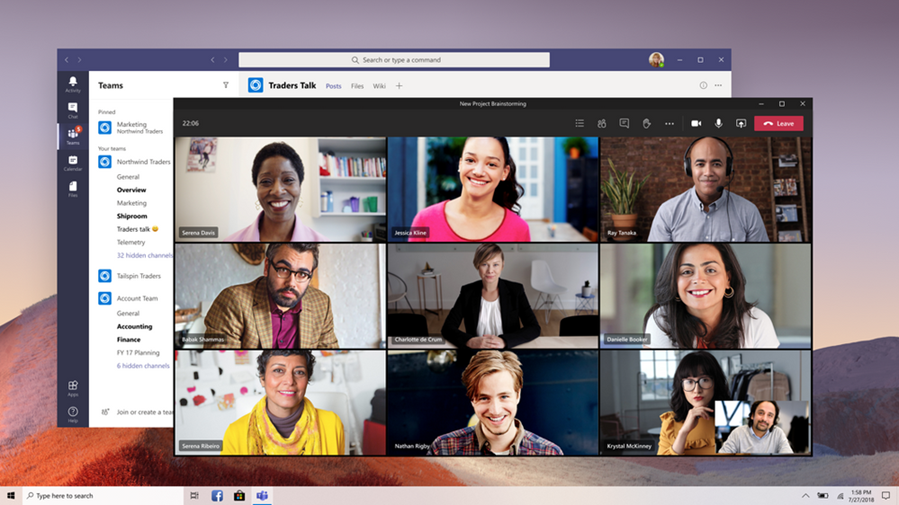
During this one day course, you will learn about the full capabilities of Teams. From communications to meetings, from document management to the SharePoint back-end, this hands-on workshop ensures that you'll get the most out of its many features.
Module 1: Introduction to Microsoft Teams
- Overview of Microsoft 365: OneDrive, SharePoint, and Teams
- Overview of Microsoft Teams interface
- Understanding Teams, Channels, and Tabs
- Accessing Teams via web browser, desktop app, and mobile app
Module 2: Communication and Collaboration
- Initiating text chats and instant messages
- Utilizing @mentions for effective communication
- Sharing files and documents within chats and channels
Module 3: Team and Channel Management
- Creating and managing teams and channels
- Adding and removing team members
- Setting up team permissions and roles
Module 4: Meetings and Calls
- Scheduling and joining meetings in Teams
- Managing meeting settings and options
- Conducting audio and video calls within Teams
- Sharing screens and presenting during meetings
- Recording and transcribing meetings for reference
Module 5: Choosing the Right Platform for Document Management
- Factors to consider when deciding between SharePoint and Teams for document management
- Understanding the strengths and limitations of each platform
- Use cases for SharePoint document management
- Use cases for Teams document management
- Best practices for integrating SharePoint and Teams for optimal document management
Module 6: Document Management in Microsoft Teams
- Overview of document storage options in Teams
- Understanding the Files tab within channels
- Uploading, creating, and organizing documents and folders
- Collaborating on documents in real-time with co-authoring
- Version control and tracking changes in documents
Module 7: Document Sharing and Permissions
- Utilising document sharing and permissions
- Setting up access permissions for team members
- Sharing documents internally within the team and externally with guests
- Controlling access levels (view, edit, etc.) for different users
Module 8 Document Management in SharePoint
- Exploring SharePoint document libraries and lists
- Version control, check-in/check-out, and document history in SharePoint
- Document approval workflows and content approval processes in SharePoint