353 (0) 86 2464633

Microsoft SharePoint for Site Admins course
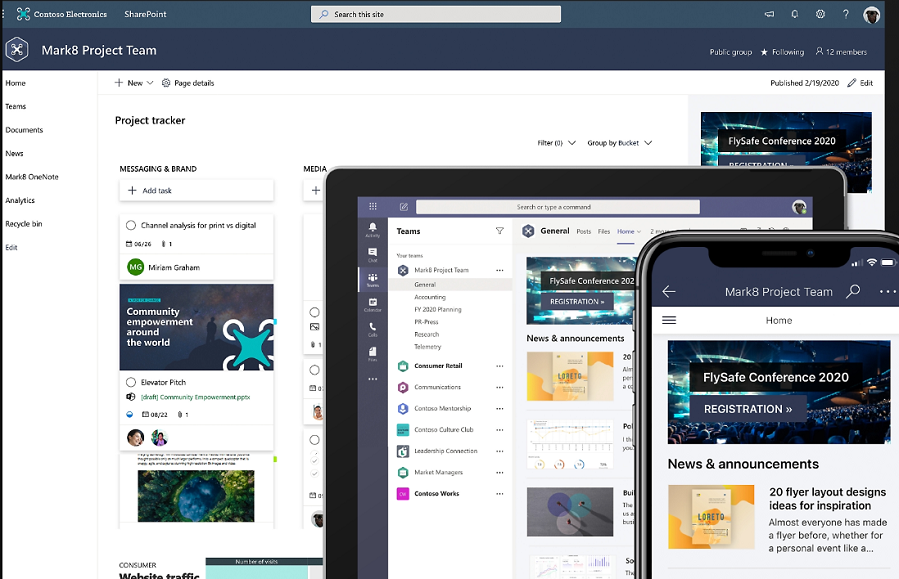
Microsoft SharePoint for Site Admins
About this Course
Are you tasked with rolling out and supporting Microsoft SharePoint? With this course, you will learn how to administer SharePoint within your organisation. Get up to speed quickly by learning from an industry professional with experience of rolling out SharePoint in large organisations.
Module 1 – Microsoft 365 overview
- How SharePoint is central to Microsoft 365
- The difference use cases for SharePoint, OneDrive and Teams
Module 2 – SharePoint fundamentals
- The SharePoint Start Page
- SharePoint as an intranet
- SharePoint for collaboration
Module 3 – SharePoint templates
- Changing the look and feel of SharePoint
- Using out-of-the-box templates
Module 4 - SharePoint pages
- Redesigning the Home page
- Navigating SharePoint sites
- Creating new pages based on templates
- Adding text, images, tables
- Embedding YouTube videos and other apps
Module 5 – SharePoint permissions
- Granting people permission as members or owners
- Office 365 Groups
- Sharing folders and files internally and externally
- External sharing settings in the Admin Portal
Module 6 – Document libraries
- OneDrive versus a SharePoint Document library
- Version history
- Co-authoring documents
- Check in / checking out documents
- Office Online
Module 7 - Syncing files
- The OneDrive App
- The Status column
- Working online / offline
- SharePoint and File Explorer
Module 8 – Lists
- Out of the box SharePoint Lists
- The Lists App
- Custom SharePoint List
- Views
- Lists and importing/exporting to Excel
Module 9 – SharePoint structure
- Traditional subsite structure
- Navigating between ‘standalone’ SharePoint sites
- Creating a central ‘Hub site’ structure
Module 10 - Metadata
- Enterprise keywords
- Adding columns
- Filtering data
Module 11 – Workflows
- Alerts
- Rules
- Out of the box workflows
- Flows
Module 12 – SharePoint and Teams
- The connection between SharePoint and Teams
- Using Teams for document management
Module 13 – Admin Portal
- Creating SharePoint sites without Office 365 Groups
- Sharing settings for your organisation
- Arranging a call with Microsoft for free support
Learning Outcomes
- Understand the role and responsibilities of a SharePoint Site Administrator.
- Create and manage SharePoint sites, pages, lists and document libraries.
- Configure permissions and control access to SharePoint content.
- Manage site navigation, metadata and document management features.
- Monitor and maintain a SharePoint site to support effective collaboration.
Frequently Asked Questions
Who should attend this SharePoint Administrator course?
This SharePoint Administrator course is designed for Microsoft 365 administrators, IT professionals, site owners, and anyone responsible for managing SharePoint Online within their organisation.
What will I learn on the SharePoint Administrator course?
Participants learn how to administer SharePoint Online, manage permissions, configure sites, oversee document management, implement governance, and support users across Microsoft 365.
Do I need previous SharePoint experience?
A basic understanding of Microsoft 365 and SharePoint is helpful, but the course covers core administration concepts in a practical and easy-to-understand manner.
Will the course cover SharePoint permissions?
Yes. The course includes SharePoint permissions, inheritance, security groups, Microsoft 365 groups, site access management, and best practices for securing content.
Does the course cover SharePoint and Microsoft Teams integration?
Yes. Participants learn how SharePoint works with Microsoft Teams, OneDrive, and other Microsoft 365 services to support collaboration and document management.
Can this course help improve our document management system?
Yes. The training covers document libraries, metadata, content organisation, search, version history, and other features that help organisations improve document management and information governance.
Do you provide customised SharePoint Administrator training?
Yes. Training can be tailored to your organisation's SharePoint implementation, governance requirements, and business processes to ensure maximum relevance.
Is SharePoint Administrator training available online?
Yes. SharePoint Administrator training can be delivered online via Microsoft Teams or on-site throughout Ireland.