Questions 353 (0) 86 2464633

Teams and SharePoint for Groups course
About this Course
Microsoft Teams and SharePoint work together to help organisations collaborate more effectively. Understanding how these applications complement each other is essential for managing documents, sharing information, and supporting teamwork.
This practical one-hour course explains how Teams and SharePoint are connected and provides users with the knowledge required to store, organise, share, and manage information within a team environment. Participants will learn how to collaborate on documents, communicate effectively, and apply best practices for managing team information.
Module 1: Understanding Teams and SharePoint
This module introduces Teams and SharePoint and explains how the two apps work together.
- Overview of Microsoft Teams and SharePoint
- How Teams uses SharePoint for file storage
- Communication sites versus team sites
- The role of Teams in collaboration
- The role of SharePoint in information management
Module 2: Working with Teams
This module focuses on the collaboration features available within Microsoft Teams.
- Understanding teams and channels
- Standard, private, and shared channels
- Conversations and collaboration
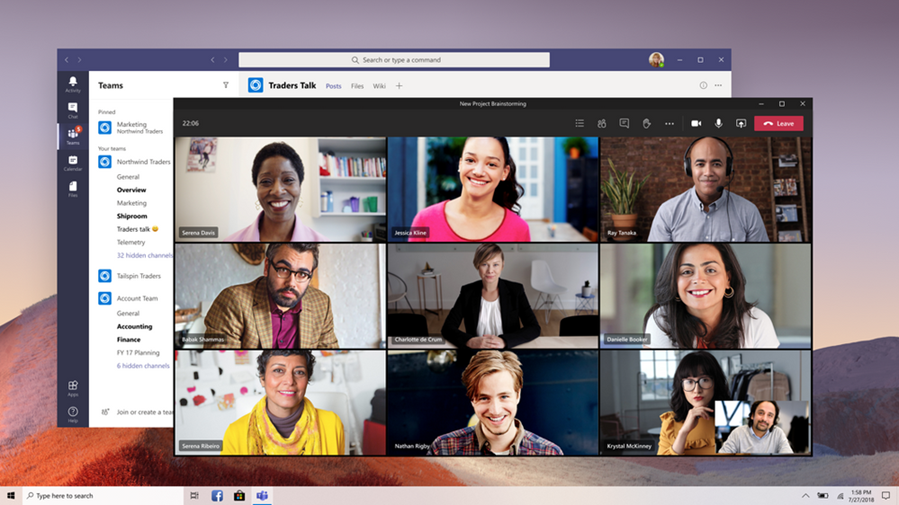
- Meetings and online communication
- Using tabs and apps
- Finding information across Teams
Module 3: Managing Team Documents
This module explains how documents are stored and managed within Teams and SharePoint.
- Understanding document libraries
- Uploading and organising files
- Version history and document recovery
- Co-authoring documents
- Sharing files with colleagues
- Managing access to documents
Module 4: Using SharePoint Sites
This module introduces SharePoint sites and demonstrates how organisations use them to share information.
- Navigating a SharePoint site
- Accessing documents and resources
- Using quick links and navigation
- Centralising team information
Module 5: Governance and Best Practice
This module provides practical guidance on managing team workspaces and information effectively.
- When to use Teams
- When to use SharePoint
- Managing permissions and membership
- Supporting hybrid and remote working
- Creating a consistent user experience
- Developing good collaboration habits
By the End of the Course
- Understand how Teams and SharePoint work together
- Manage and organise shared documents
- Navigate and use SharePoint confidently
- Share information securely with colleagues
- Apply best practices for managing team information
- Support productive and efficient collaboration across the organisation